


Business continuity and disaster recovery
Total resilience.
No friction.
FileMaker Server Remote Backup and Standby Server deliver enterprise-grade protection for your business, even if hardware fails.
Explore options
Data stays protected.
Operations keep running.
That's what a complete business continuity plan delivers.

Your data, protected.
A complete plan keeps an offsite copy of your data safe and recoverable — no matter what happens to your local server.

Your operations, uninterrupted.
The right setup means you can switch over in minutes and your team keeps working, even if your primary server goes offline.
Purpose-built protection for your FileMaker Server environment.
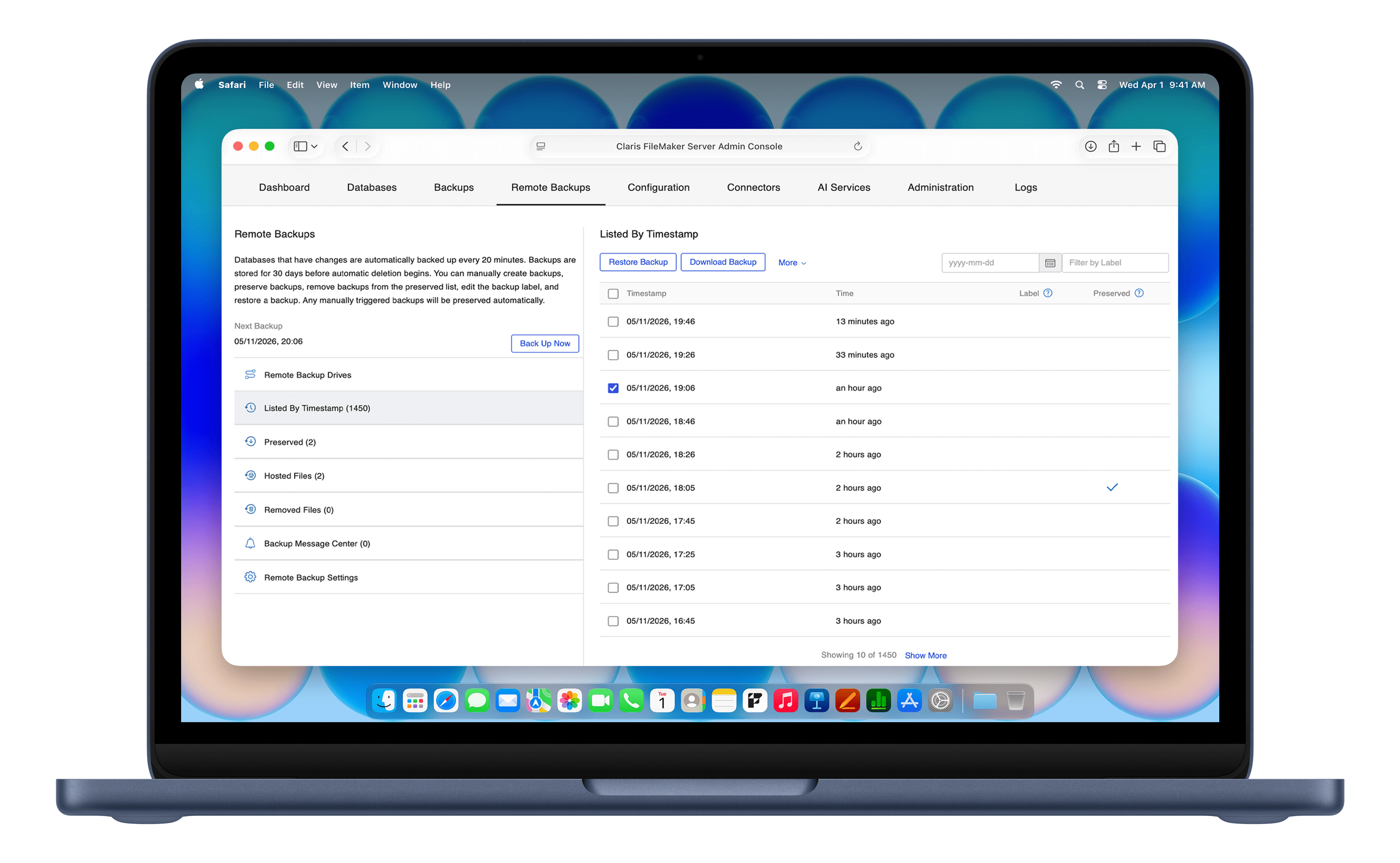
Remote Backup
Offsite. Automatic. Always running.
Business data survives whatever happens to your local server. Remote Backup copies your FileMaker files to secure, Apple-managed cloud storage every 20 minutes — encrypted, offsite, and completely separate from your local environment.
- No scripts, no external drives, no manual steps.
- End-to-end encrypted when FileMaker Encryption at Rest is enabled.
- Setup takes minutes, maintenance takes nothing.
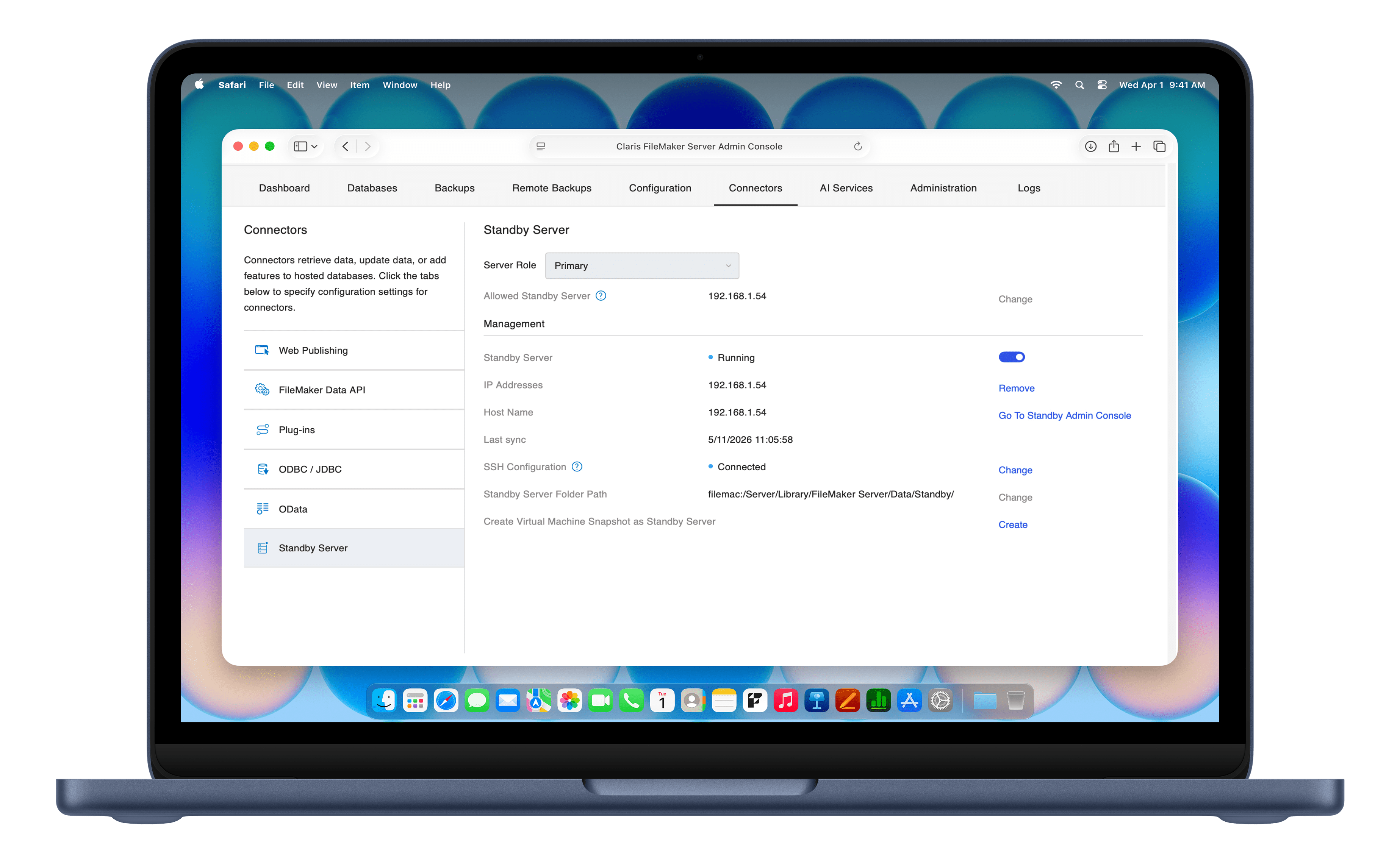
Standby Server
Ready before you need it.
An unexpected outage doesn't have to mean an extended shutdown. Standby Server lets you keep a secondary server in continuous sync with your primary. If the primary goes offline, switching over takes just minutes and prevents costly downtime.
- A secondary server ready the moment you need it.
- Configured directly from your FileMaker Admin Console.
- Minimal disruption to your team during a switchover.
Security and resilience, built in from the start.

Native to FileMaker Server.
Both features are fully integrated into the platform you already run and manage. No need for third-party tools. No extra software.
Security standards you trust.
Your backup data is stored in secure, managed cloud infrastructure, giving you security, privacy, and reliability you can count on.
Nothing to maintain.
There are no credentials to rotate and no scripts to monitor. Just protection that works quietly in the background.
Two services for complete FileMaker business continuity.
Remote Backup satisfies the 3-2-1 rule of data protection. Standby Server adds the continuity layer. Together, they protect your data and keep your business running.
Local backups
Remote Backup
Standby Server
What it does
Protects against accidental deletion and file corruption on your server.
Recovers your data after an incident.
Keeps your business running during an incident.
Protects against
Accidental deletion, file corruption.
Data loss, ransomware, physical disaster.
Server outages, service interruption.
Key benefit
A reliable local safety net, built into FileMaker Server.
Your data survives local hardware failures, ransomware, and physical disasters.
Your team never has to stop working.
Remote Backup
What it does
Recovers your data after an incident.
Protects against
Data loss, ransomware, physical disaster.
Key benefit
Your data survives local hardware failures, ransomware, and physical disasters.
Standby Server
What it does
Keeps your business running during an incident.
Protects against
Server outages, service interruption.
Key benefit
Your team never has to stop working.
Ready to protect your FileMaker solution?
Remote Backup and Standby Server are available now as add-ons for FileMaker Server. To benefit from these new features, you need to be running FileMaker 2026.

Already running FileMaker Server 2026?
Get Remote Backup, Standby Server, or both as add-ons.

Not running FileMaker Server 2026 yet?
Update to this version to take advantage of these add-ons.

Have questions?
Talk to someone who can help you find the right setup for your FileMaker Server deployment.